

Time Tracking for Digital organizations - Stop Losing Billable Hours
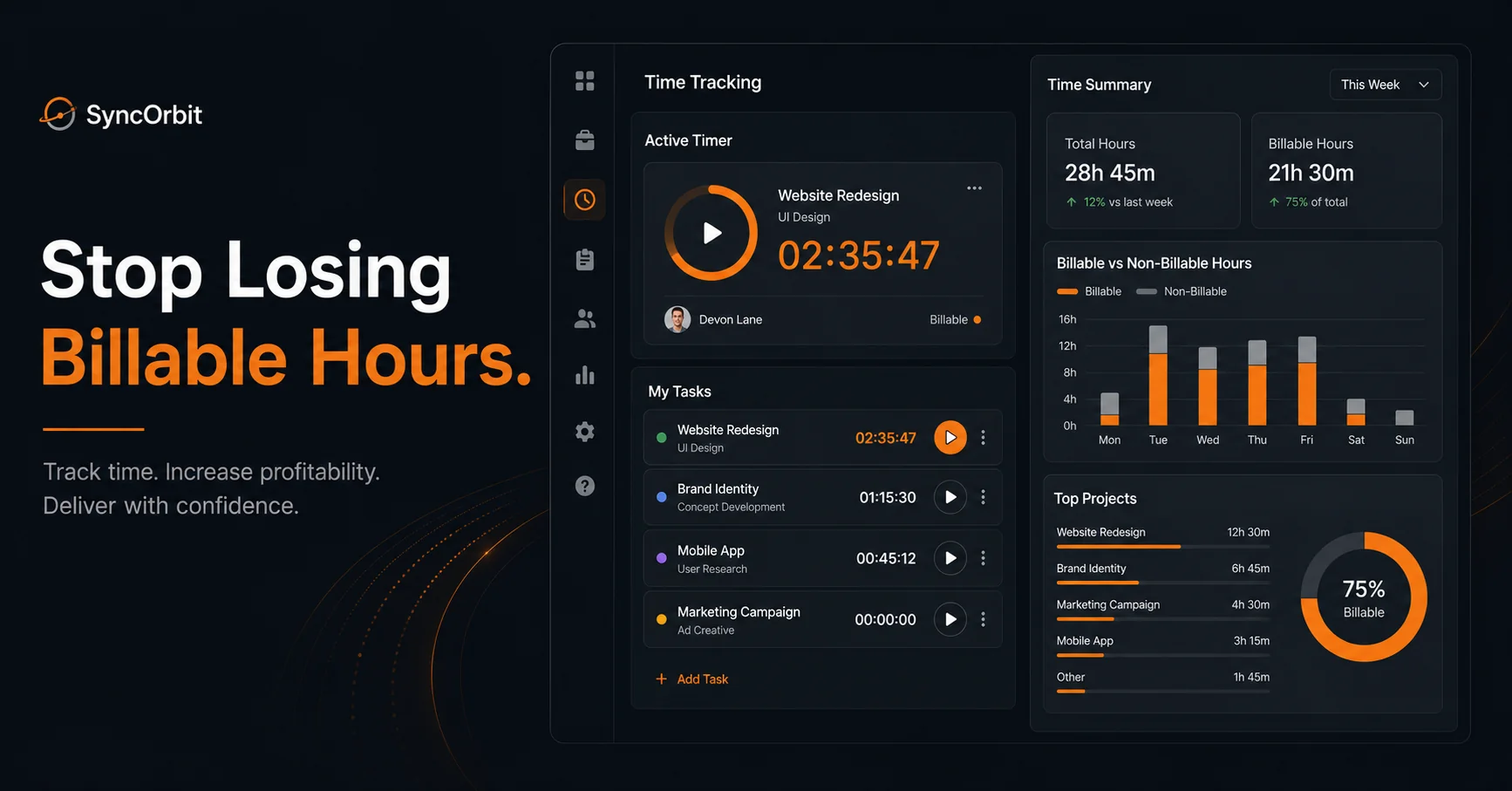
Most organizations bill for fewer than 70% of the hours they actually work. The other 30% disappears because time tracking for digital organizations is one of those things everyone agrees matters, yet almost no one does consistently. Hours slip away in the spaces between tasks - the quick Slack reply, the revision nobody wrote down, the half-hour call that wasn't on the calendar. By Friday, those gaps have compounded into a week's worth of unbilled labor that you'll never recover.
This guide covers why that happens, what it's costing you in real dollars, and how to build a time tracking system that your team will actually use.
Why Time Tracking Feels Painful (And Why organizations Avoid It)
Ask any agency owner whether time tracking is important and they'll tell you yes, absolutely. Ask them whether their team does it reliably, and the answer changes fast. There's a gap between knowing and doing, and it comes down to one thing: friction.
Context switching is the enemy. Agency work isn't a single continuous task. A designer might jump from a logo revision to a client call to a Figma review to a status email - all in the same morning. Each time they switch, there's a cognitive cost. Asking them to also open a separate time tracking app, find the right project, find the right task, and log the exact number of minutes? That's four extra steps on top of the actual work. Most people skip it.
"I'll log it later" is a losing strategy. It sounds reasonable in the moment. You'll remember what you worked on by end of day. Except you won't - not with any precision. Memory research consistently shows that recall of time spent on tasks degrades sharply within hours. By 5pm, that 25-minute revision session from 9am feels like either 15 minutes or an hour, depending on how stressful the day was. Neither number is accurate.
Manual spreadsheets create their own problems. Some organizations try to solve this with a shared Google Sheet. By end of week, that sheet becomes a Friday afternoon reconstruction project - "I think I spent about 3 hours on the Henderson brand revisions, maybe 1.5 on the client call, I'm not sure about the Figma work..." The estimate is better than nothing, but it's still an estimate, and it's taking 45 minutes of billable time just to create it.
Legacy tools weren't designed for agency work. Time tracking software built for law firms, accounting practices, or solo freelancers often maps poorly to how organizations actually work - multiple clients, multiple projects simultaneously, work that spans teams, tasks that don't fit neatly into one category. When the tool doesn't match the workflow, the tool gets abandoned.
Consider this scenario: A designer finishes a logo revision in 25 minutes. It's a small task, squeezed between a team standup and a new client brief. They don't log it right away because they're already moving on. By lunch, they've forgotten the exact time. By Friday, they log "logo revisions - 1h" for the week, combining three different sessions into a round number. That client has just gotten 50 minutes of design work for free, and the agency's historical data on logo revision time is now wrong for future quoting.
The Real Cost of Lost Billable Hours
Lost time tracking isn't a minor administrative inconvenience. It's a direct revenue problem, and at agency scale, the numbers are significant.
The commonly cited figure - that organizations lose around 1.5 hours per team member per day to untracked billable work - comes from a pattern that agency owners recognize immediately when they hear it. It's not 1.5 hours of someone sitting idle. It's 1.5 hours of legitimate, valuable work that simply doesn't make it onto an invoice.
| Team size | Hours lost/day (est.) | Hourly rate | Annual revenue loss |
|---|---|---|---|
| 5-person | 1.5h | $100 | $195,000 |
| 10-person | 1.5h | $100 | $390,000 |
| 20-person | 1.5h | $100 | $780,000 |
| 30-person | 1.5h | $100 | $1,170,000 |
These figures assume a modest $100/hour blended rate and 260 working days per year. If your average rate is $150 or $175 per hour - as it is for many specialized organizations - the losses are proportionally larger. A 20-person agency at $150/hour losing 1.5 hours per person per day is giving away over $1.1 million annually.
Industry surveys, including the Agency Profitability Report 2025, consistently find that organizations with structured time tracking processes report 15-25% higher net margins than those without. That's not because they're working harder. It's because they're capturing and billing work they were already doing.
Stat: organizations with built-in time tracking connected to their project management tool report billing an average of 23% more hours per month than those using separate or manual systems - not because they work more, but because they capture what they already worked. (Agency Profitability Report 2025)
The second, less obvious cost is underquoting. When your historical time data is incomplete or inaccurate, your project estimates are built on a foundation of guesses. You quote 40 hours for a website because that's what similar projects "feel like" - but if you've never actually tracked those projects accurately, that number might be 55 hours of real work that you've been consistently giving away. Every future quote inherits that error.
The 5 Types of Billable Work organizations Forget to Track
There are predictable patterns in what organizations fail to log. These aren't random gaps - they're structural blind spots in how most teams think about billable work.
1. Quick Slack answers and async consulting. A client sends a message: "Hey, do you think we should go with the blue or the green for the CTA?" You spend 10 minutes thinking about it, looking at their brand guide, and composing a thoughtful response. That's consulting. If a client had called your personal advisor for 10 minutes of strategic input, they'd expect to pay. But because it came through Slack, nobody tracked it. Do this 5-8 times a week and you're looking at close to an hour of unbilled consulting per client.
2. Revision rounds outside original scope. The original proposal said "two rounds of revisions included." The client is on round four. Someone gave the okay without creating a change order. The extra work happened, the team logged it (maybe), but it never triggered an invoice because nobody connected the time entry to a scope change. The result: two free revision rounds per project, multiplied across all your projects.
3. Client onboarding time. Getting a new client set up takes real time - setting up their project in your tools, briefing the team, creating a project brief, running a kickoff call, preparing a welcome packet. This work is often absorbed as overhead because it feels like "setup" rather than billable work. But onboarding typically takes 3-6 hours and should either be included in your project fee explicitly or tracked to understand what your true project cost is.
4. Project management overhead - calls, emails, status updates. Your PM spends 20 minutes writing a client update email. Your account manager runs a 30-minute weekly check-in call. These are real, billable hours. In many agency billing structures, PM time is included implicitly, but it's rarely tracked explicitly - which means when a project runs long on PM overhead, you can't see it in your data and you can't adjust for it next time.
5. Handoffs between team members. When work moves from one person to another - from strategy to design, from design to development - there's always a handoff cost. The developer reads through the design brief, asks questions, understands context. This is necessary work and it takes time. On complex projects, handoff time can add up to 2-3 hours per transition. Most teams log it poorly or not at all.
Insight: A typical revision round on a design project takes 45-90 minutes. If a project has 4 revision rounds and you only invoice for 2, you've given away 1.5-3 hours for free. Multiply that by 10 projects per month and you're looking at 15-30 hours of free work every month - at $100/hour, that's $1,500-$3,000 per month that never appears on an invoice.
Time Tracking Methods: Pros and Cons
There's no single right way to track time, but there are real tradeoffs between approaches. Understanding them helps you pick the method that fits your team's actual workflow.
Manual End-of-Day Logging
How it works: Team members keep a rough mental note of what they worked on, then log it all at the end of the day - or end of the week, in practice.
Pros:
- Zero interruption during the workday
- Simple to start, no learning curve
- Works with almost any tool
Cons:
- Memory-dependent - accuracy degrades as the day progresses
- Tends toward round numbers ("2 hours" instead of "1h 45m")
- Weekly logging is even less accurate than daily
- No real-time visibility for project managers
- Incentivizes under-reporting on "small" tasks
Best for: Very senior individuals who work on a small number of large, well-defined tasks per day. Poor fit for most agency team members.
Timer-Based Tracking
How it works: You start a timer when you begin a task and stop it when you're done. The time entry is created automatically with an accurate duration.
Pros:
- Accurate - it measures what actually happened
- Removes the memory problem entirely
- Creates a real-time view of where the team's time is going
- Good discipline reinforcer - makes context switching visible
Cons:
- Requires habit formation - you have to remember to start and stop the timer
- Awkward for short interruptions and parallel tasks
- Can feel surveillance-heavy to some team members
- Starting a timer mid-conversation or mid-Slack thread takes willpower
Best for: Development work, design work, any deep-focus task with a clear start and end. Works well with one-click task timers integrated directly into your PM tool.
Automatic Activity Tracking
How it works: Software runs in the background and tracks which applications you're using, which documents are open, which websites you visit, and for how long. It then suggests time entries based on this activity data, which you review and assign to projects.
Pros:
- Captures everything, including the work you'd forget to log manually
- Low friction - you don't need to remember to start a timer
- Can identify patterns in how time is actually spent
- Generates evidence for billing disputes
Cons:
- Privacy concerns are legitimate - team members reasonably want to know what's being tracked
- Raw activity data needs review and interpretation before it becomes a time entry
- Blurs personal/professional boundaries, especially on personal devices
- Requires explicit policy about what is and isn't monitored
Best for: Teams that have privacy concerns managed through clear policy and consent, or as an optional backup layer for team members who want to verify their manual entries. Not a replacement for intentional logging, but a useful safety net.
The most effective approach for most organizations is timer-based tracking built directly into the project management tool - low friction because it's where work already happens, accurate because it's real-time, and visible because it connects directly to project budgets.
What Good Agency Time Tracking Looks Like
Once you've picked a method, the implementation details matter as much as the approach. Here's what a mature time tracking setup looks like in practice.
Task-level granularity, not just project-level. Logging "5 hours on Client X" is better than nothing, but it's not useful for bidding future work or understanding where a project went over budget. Time entries should be tied to specific tasks - "homepage design," "logo revision round 2," "kickoff call" - so you can see exactly where time is going within a project.
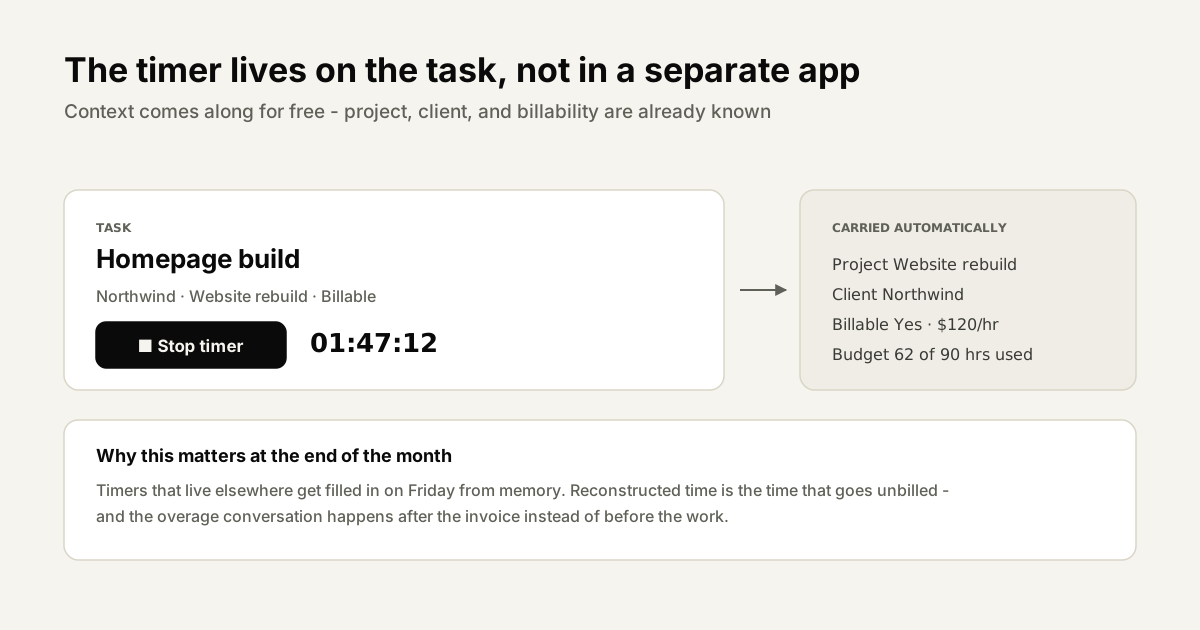
Connected to your PM tool. If time tracking is a separate app, people won't use it consistently. The best setup is time tracking built into the same interface where work is assigned and tracked. One click to start a timer on a task, one click to stop. No app switching, no re-entering project names.
Billable vs. non-billable split. Not all time is billable, and that's fine - but you need to see the split clearly. Internal meetings, business development, and tool administration are real costs. Knowing your team spends 15% of their time on non-billable work helps you price projects to cover it.
Client-exportable reports. When a client questions your invoice, you need to show them exactly what work was done and when. Time tracking software that generates clean, professional time reports - formatted for client review, not internal operations - removes invoice disputes before they start.
Approval workflow before invoicing. Someone should review time entries before they become invoices. This catches honest mistakes (logging 10 hours when you meant 1), flags scope anomalies, and gives managers a weekly pulse on project health. Ideally, this review is built into the PM tool as a formal approval step.
How to Structure Your Billing From Time Data
Accurate time data isn't just for tracking - it's the foundation for how you price and bill your work. Different billing models use time data in different ways.
Hourly billing is the most straightforward model: you track time, you bill the exact hours at an agreed rate. The advantage is that every hour of work gets paid. The disadvantage is that clients want to know their total cost in advance, and "it depends how long it takes" isn't a comfortable answer. Hourly billing works best for ongoing retainers and for projects with genuinely unpredictable scope.
Fixed-fee projects are more client-friendly but require accurate time tracking even if you're not billing hourly. When you charge a flat fee, you still need to know whether the project came in under or over budget. If you consistently underrun, you're leaving money on the table. If you consistently overrun, you're losing money on every fixed-fee engagement. Without time tracking, you can't tell which is happening.
Retainers add another layer of complexity. Monthly retainers typically have an agreed hour allocation - say, 20 hours per month of ongoing support. Your client needs to see how those hours were spent. You need to manage rollover policy (do unused hours carry forward?), overage billing (what happens when a client uses 28 hours in a 20-hour month?), and budget alerts (does anyone flag when they're at 15 of 20 hours?). None of this is manageable without task-level time tracking.
Value-based billing is the model where you charge based on the outcome's value rather than your time. Many organizations aspire to this. The thing is, even if you never show a client your hourly rate, you still need to know how long things take internally - to understand whether a fixed value-based project is profitable, to set prices that account for your real costs, and to know when a project that was supposed to take 30 hours is quietly creeping toward 50.
Most organizations use a hybrid of these models across their client base. Time data that's captured consistently and accurately is what makes any of these models work well in practice.
Time Tracking Policies That Actually Work
A time tracking tool is only as good as the habits around it. Policies - formal or informal - are what turn a good tool into consistent behavior.
Make logging the easiest part of the workflow. This sounds obvious, but it means time tracking has to live where the work lives. If your team manages tasks in your PM tool, time tracking should be a button on that task card, not a separate tab in a different app. Every extra click between "finishing work" and "logging work" is another opportunity for it not to happen.
Set a minimum billable increment and stick to it. Many organizations use 15 minutes as the smallest billable unit. This prevents the paralysis of wondering "is this 7-minute Slack exchange worth logging?" - yes, it rounds to 15, log it. A clear policy removes the daily micro-decisions that wear people down.
Build manager review into the weekly rhythm. Rather than treating time approval as a monthly accounting task, make it a weekly habit. Every Friday, managers review the week's time entries for their projects, approve what's correct, flag anything unusual, and identify tasks that might represent scope creep. This keeps data clean and creates a natural opportunity to catch problems early.
Weekly time review as part of the team standup. Bringing time data into a regular team meeting normalizes it. When the team sees that unlogged hours are noticed and discussed - not punitively, just matter-of-factly - logging becomes part of the culture rather than an optional chore.
Client-facing time reports that build trust. Send clients a monthly time summary, even if you're not billing hourly. Clients who can see exactly what work was done on their project are far less likely to question invoices, more likely to appreciate the value they're getting, and more likely to renew. Transparency about time builds the kind of client relationships that lead to retainers and referrals.
Template: A sample weekly time review agenda for Friday afternoons: Open your PM tool and filter time entries from the current week. Review any entries over 2 hours for tasks that weren't in the original project brief - flag these as potential scope additions. Approve all cleanly-logged billable tasks. Check any retainer clients against their monthly hour allocation. Send a quick time summary to any clients with upcoming invoice milestones. Total time for this review: 20-30 minutes, once per week.
Choosing Time Tracking Software for Your Agency
The market for time tracking software is crowded. When evaluating options, separate must-haves from nice-to-haves, because tools that try to do everything often do nothing particularly well.
Must-have features:
- Integration with your PM tool. Time entries that connect directly to tasks and projects, not entries that have to be manually matched later.
- Task-level granularity. Not just "Client X - 3 hours" but "Client X, Project Y, Task Z - 1h 45m."
- Client-ready reports. Clean, exportable reports formatted for client review, not just internal tables.
- Approval workflow. A formal review step before time becomes an invoice, with manager visibility.
- Mobile capture. Some of your best billing opportunities happen away from a desk - on-site visits, offsite calls, travel time. Mobile logging is essential.
- Billable vs. non-billable split. Every entry should be classified, and reporting should show both clearly.
Nice-to-have features:
- Automatic invoicing from time entries. Some tools can generate a draft invoice directly from approved time entries. If your billing process is mostly time-based, this can save significant administrative time.
- Budget vs. actual tracking. Real-time view of how a project's time budget is tracking against hours logged - so you can see a project going over budget before it's too late to address it.
- Profitability by project. Revenue minus all tracked costs (including time at cost rate) per project. This is the most useful number an agency owner can have.
- Estimates and time blocking. The ability to estimate task duration and compare estimate to actual, which improves quoting accuracy over time.
The key question when evaluating any time tracking tool isn't "does it have these features" - most do, at some level. The question is: will my team actually use it consistently? That comes down to where it lives in the workflow and how much friction it creates.
How SyncHQ Handles Agency Time Tracking
SyncHQ was built for organizations from the ground up, which means time tracking isn't an add-on module or a third-party integration - it's a native part of how tasks work. Every task in SyncHQ has a built-in timer. One click to start, one click to stop. Time entries are attached directly to the task, so they carry the project and client context automatically, with no manual tagging required.
Where SyncHQ connects the dots that most tools miss is the path from time entry to invoice. Approved time entries can be pushed directly into an invoice with a single action. Client-facing time reports are generated automatically and formatted for external sharing - not the internal data view, but a clean summary that clients actually appreciate receiving. Budget tracking shows you in real time how a project's hours compare to what was scoped, so overage conversations can happen before the work is done rather than after the invoice is sent.
Getting Started: A 30-Day Time Tracking Plan for Your Agency
Changing how a team tracks time takes a few weeks of intentional effort. Here's a realistic implementation plan.
Week 1 - Setup and first logging. Configure your time tracking tool with all current projects and clients. Make sure every team member has access and understands the minimum requirements: what to log, how specific to be, what counts as billable. Run a 20-minute training session. Set the expectation that everyone logs daily, not weekly.
Week 2 - Review and close the gaps. Look at what week one captured. You'll immediately see who's logging consistently and who isn't, which project types are generating clean data and which aren't, and where the tool is creating friction. Address the friction points - whether that's the interface, the project structure, or the workflow integration. Hold a quick team retrospective on what felt easy and what felt hard.
Week 3 - Build the reporting habit. Run your first proper time reports against actual projects. Compare logged hours to estimates. Identify your first scope creep instances. Show the team what the data looks like when it's clean. Schedule a weekly Friday review as a standing calendar event. This is also the week to send your first client time summary if you haven't before.
Week 4 - Review profitability and adjust pricing. Now you have a month of data. Pull a profitability report by project. Look at which project types are running over or under their time estimates. Use this data to audit your pricing - if a project type consistently runs 20% over estimate, your next quote for that project type should reflect that. This is the moment when consistent time tracking starts paying for itself in better business decisions.
Final Thoughts
Time tracking isn't about surveillance or squeezing every minute out of your team. It's about getting paid for the work you're already doing, and making smarter decisions about the work you take on next.
The organizations that have built real time tracking habits don't experience it as administrative overhead - they experience it as financial clarity. They know which clients are profitable and which aren't. They know which project types they should pursue more aggressively and which they should price higher. They can have honest conversations with clients about scope without anxiety because they have the data to back it up.
The 30% of hours that organizations typically lose isn't the result of laziness or dishonesty. It's the result of a workflow that makes logging time harder than doing the work. Fix the friction, build the habits, and use a tool that connects time entries to your actual project workflow - and that 30% starts coming back.
Start this week. It takes less than an hour to set up, and the first month of data will change how you think about your business.
Also read: