

How to Write a Project Brief That Gets Client Approval on the First Try
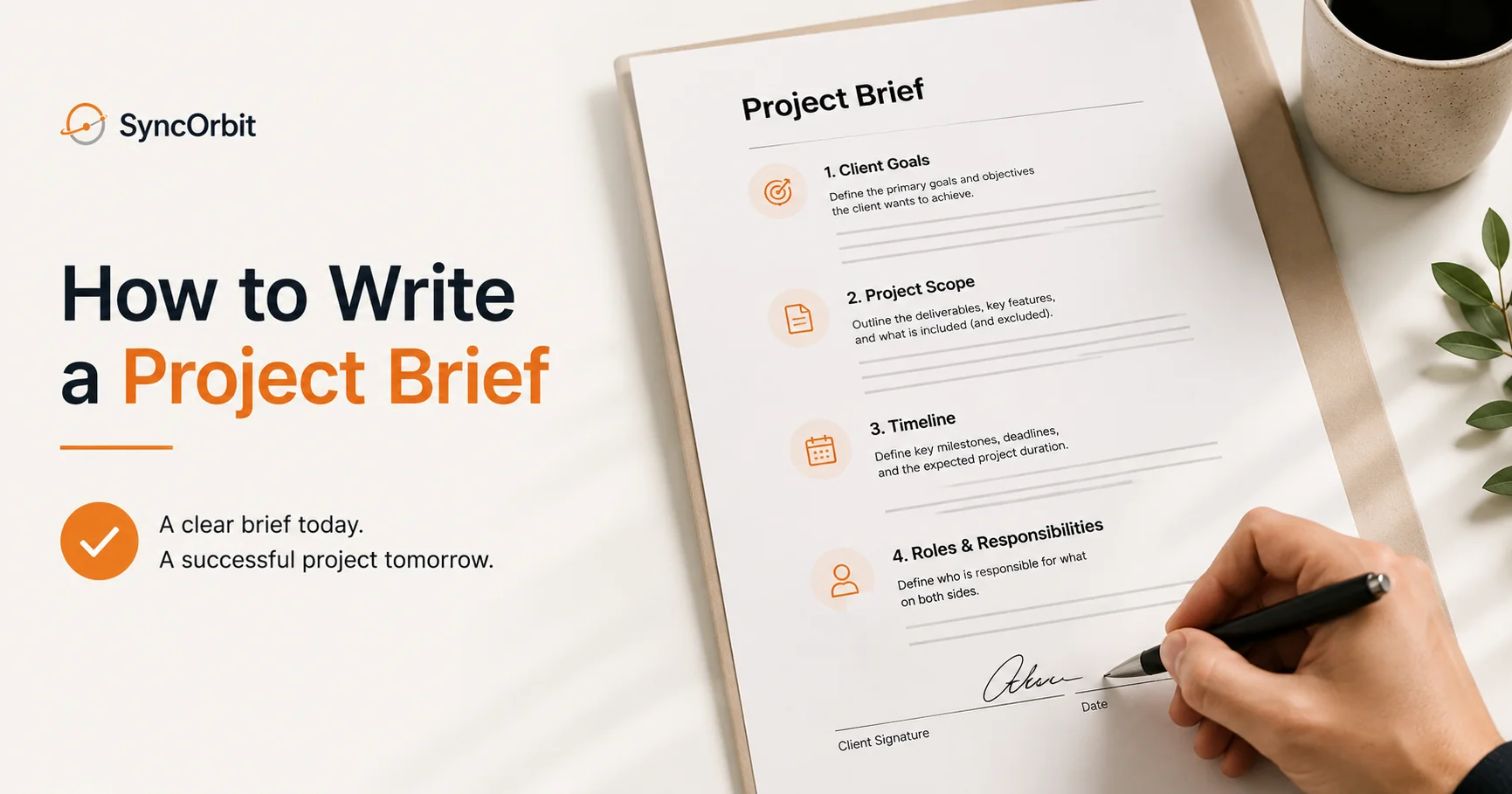
Most project delays don't start during the project. They start before it, in the brief - or in the absence of one. A vague project brief is the origin point of scope creep, missed expectations, invoice disputes, and the dreaded "that's not what I had in mind" conversation in the final week of delivery.
Knowing how to write a project brief that clients approve on the first pass - without three rounds of "can we add this?" revisions - is one of the highest-leverage skills in agency operations. This guide walks through every section of a complete project brief, the most common mistakes, a worked example, and how modern intake processes make the brief almost write itself.
What Is a Project Brief and Why It Matters
A project brief is a written document that defines the scope, goals, constraints, and success criteria of a project before any work begins. It serves three purposes:
1. Alignment. Everyone - your team, the client, any subcontractors - is working from the same understanding of what's being built and why.
2. Scope boundary. The brief is the baseline against which all change requests are measured. If it's not in the brief, it's a change request. If it is in the brief, it's included in the quote.
3. Legal protection. A signed brief is a reference document. When a client says "I thought this included X," the brief is what you point to.
Without a brief, you're doing the project on a handshake. That works until it doesn't - usually at the worst possible moment.
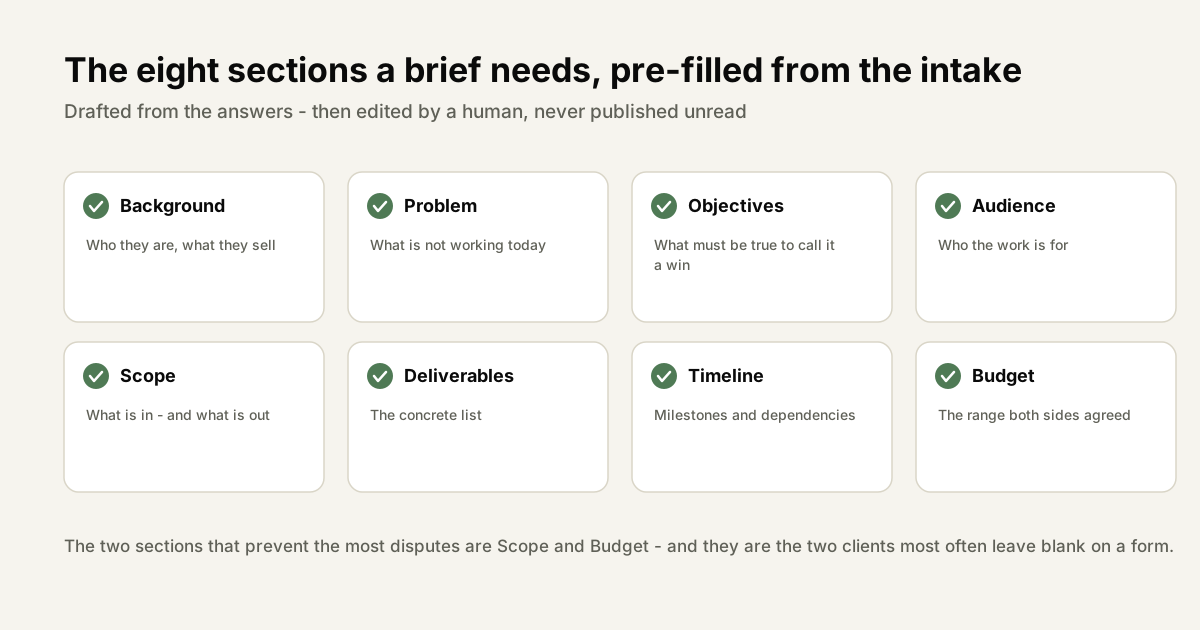
The 8 Sections Every Project Brief Needs
Section 1: Client Overview
What to include:
- Organization name, industry, and size
- Primary contact and their role
- Key stakeholders who will be involved in approvals
- Existing brand guidelines, assets, and website URLs
Why it matters: Establishes context for every decision that follows. A brief for a fintech startup looks completely different from one for a local restaurant, even if the deliverable is "a new website." The client overview makes that context explicit.
Common mistake: Skipping this section because "everyone knows who the client is." Document it anyway. In six months, when someone new joins your team and picks up a related project, they need this context.
Section 2: Problem Statement
What to include:
- What is the current situation? What's broken, missing, or underperforming?
- What has the client tried before? What didn't work?
- What is the business impact of the current problem?
Example: "The current website was built in 2021 and does not reflect the organization's current product offerings. Conversion rate from homepage to product page is 1.2%, well below the industry average of 3-5%. The site is not mobile-responsive, which accounts for approximately 40% of traffic."
Why it matters: A problem statement forces the client to be specific about what's wrong. "We want a better website" is a wish. "Our conversion rate is 1.2% because our homepage doesn't explain the product clearly" is a problem you can solve - and measure.
Section 3: Target Audience
What to include:
- Primary audience: who they are, what they want, what matters to them
- Secondary audiences if relevant
- Existing research: personas, surveys, analytics data
Example: "Primary audience: mid-market SaaS founders, 30-50 years old, looking for HR software. They evaluate products on features, integration depth, and ease of implementation. They are comparison-shoppers who spend time on G2 and Capterra before contacting sales."
Why it matters: Creative direction, copy tone, UX decisions, and messaging all flow from audience understanding. Without this section, designers make aesthetic choices instead of strategic ones.
Section 4: Scope
This is the most important section for protecting against scope creep. Be specific.
What to include:
- Explicit list of deliverables (e.g., "10-page website including home, about, services, blog, contact")
- What is explicitly NOT included (e.g., "does not include blog content creation, photography, or social media integration")
- Rounds of revision included (e.g., "2 rounds of design revisions per deliverable")
- Technology constraints (e.g., "must integrate with HubSpot CRM")
Format: Use a numbered list or table, not prose. Prose scope statements are ambiguous. Lists are defensible.
Common mistake: Being vague to "avoid conflict." Example: "a full website with all the pages we discussed." This is not a scope statement. What pages? How many? What functionality? Write it down.
Section 5: Success Metrics
What to include:
- How will the client measure whether this project was successful?
- Quantitative targets where possible (conversion rate, page speed, time-on-site)
- Qualitative criteria (brand feeling, stakeholder approval)
- Timeline for measurement (e.g., "measured 90 days post-launch")
Example: "Success will be measured by: (1) homepage-to-product-page conversion rate above 3% within 90 days of launch; (2) mobile Lighthouse performance score above 85; (3) positive approval from CEO and Head of Marketing."
Why it matters: When a client says "I'm not happy with this," the correct question is "does it meet the success metrics we agreed on?" If yes, you have a basis for the conversation. If no, you have something to fix.
Section 6: Timeline
What to include:
- Project start date
- Key milestone dates
- Delivery date
- Dependencies (e.g., "client must provide brand assets by [date]")
- Client review windows (how much time is allocated for client feedback at each stage)
Format: A milestone table is clearest.
| Milestone | Date | Responsible Party |
|---|---|---|
| Project kickoff | Week 1 | Agency + Client |
| Discovery complete / brief approved | Week 2 | Agency |
| Design concepts delivered | Week 3 | Agency |
| Client design review | Week 3-4 | Client |
| Final designs approved | Week 4 | Client |
| Development complete | Week 7 | Agency |
| Client UAT | Week 8 | Client |
| Launch | Week 9 | Agency |
Section 7: Budget
What to include:
- Total project investment confirmed by client
- Payment schedule (deposit, milestone payments, final payment)
- What's included in the quoted price
- Rate for change requests outside the brief scope
Why it matters: Ambiguous budget discussions are the source of most invoice disputes. If the client confirmed a $25,000 budget and the brief says $25,000 with a specific scope, there's no ambiguity. If you've never written it down, there's always ambiguity.
Common mistake: Avoiding the budget discussion in writing because it "feels uncomfortable." Write it down. Clients who balk at seeing their approved budget in a document are clients who were going to dispute the invoice anyway.
Section 8: Deliverables List
A specific, enumerated list of every item the agency will produce.
Example for a website project:
- Website design (Figma) - all pages listed
- Developed website on staging environment
- QA-tested, launched production site
- Google Analytics 4 setup and verification
- Basic SEO setup (metadata, sitemap, robots.txt)
- Training session (1 hour) for client CMS editing
- 30-day post-launch support window
Nothing ambiguous. Nothing assumed. If it's not on the list, it's not in the scope.
A Worked Example: E-Commerce Website Brief
Here's a condensed version of how all 8 sections come together for a real project type:
Client: Outdoor apparel brand, 5 years old, $3M annual revenue
Problem: Current WooCommerce site converts at 0.8%, loads slowly (LCP 4.2s), and doesn't support their product configurator
Audience: Outdoor enthusiasts, 25-45, research-heavy buyers who compare on specs
Scope: New Shopify build, 8 product category pages, product configurator integration, blog migration (100 posts), Klaviyo email integration
Success metrics: Conversion rate above 2%, LCP under 2.5s, 0 data loss in blog migration
Timeline: 12 weeks from kickoff
Budget: $45,000 with 40% deposit, 30% at design approval, 30% at launch
Deliverables: Full Shopify build, configurator integration, migrated blog, analytics setup, training session
This brief is specific enough that both parties can sign it with confidence and reference it throughout the project.
Getting Client Sign-Off Efficiently
A brief without a signature is just a document. You need explicit approval.
Best practice: Send the brief as a PDF with a DocuSign or similar e-signature request. Provide a 3-business-day review window. Schedule a 20-minute call to walk through any questions before the deadline.
What to say: "Here's the project brief based on our discovery session. Please review and sign by [date]. I've scheduled a 20-minute call on [date/time] to walk through any questions. Once this is signed, we'll book the kickoff."
If they want changes: That's fine - briefs are iterative. But every change should be tracked and re-sent for approval. Don't make verbal changes to a signed brief without a written amendment.
How AI Intake Makes the Brief Write Itself
The most time-consuming part of writing a project brief is capturing discovery information. If your discovery process is a 45-minute call with manual notes, you're spending an hour writing a brief for every new project.
AI-powered client intake changes this. When your discovery happens through a structured intake chat, the answers to every brief section are already captured in structured format. The brief generation is automatic - your team reviews and approves rather than writing from scratch.
This reduces brief generation from 45-60 minutes of writing to a 5-minute review. Multiply that across 30 new projects a year and you recover 20-25 hours of senior team time annually on this one task alone.
Common Brief Mistakes (and How to Fix Them)
Vague scope. "A complete website with all necessary pages" is not scope. Fix: List every page, every feature, every integration explicitly.
No success metrics. "A website they love" is not a metric. Fix: Define 2-3 measurable outcomes before the project starts.
Missing budget confirmation. Discussing budget verbally but not writing it down. Fix: Always include the confirmed investment figure in the brief.
No timeline with client dependencies. Committing to a deadline without specifying what the client needs to provide by when. Fix: Include a client action list with dates in the timeline section.
Not getting it signed. A brief reviewed but not signed is not an approved brief. Fix: Use e-signature and don't start work without a signature.
Getting Client Sign-Off on the Brief
A project brief that hasn't been formally approved is just a document. It becomes a binding reference only when both parties have explicitly agreed to it. The sign-off process matters as much as the content of the brief itself.
Send it as a formal document, not inline in an email. A brief buried in the body of an email gets treated as email - skimmed, not read carefully, and never quite "approved." Send it as a PDF or shared document with a clear e-signature request. DocuSign, PandaDoc, or a Google Doc with a comment-approval process all work. The format signals that this is a formal agreement, not a casual exchange.
Give the client 3-5 business days to review. Don't ask for same-day sign-off on a document that defines a $30,000-$50,000 project. Clients need time to share it with internal stakeholders, ask questions, and think carefully. A 3-5 day review window is professional and realistic.
Use a specific approval format. Vague requests produce vague responses. "Let me know your thoughts" gets you a paragraph of comments. "Please reply 'Approved' or add your comments directly in the document" gets you a clear signal. Make the approval action explicit.
Set the expectation before you send it. The brief should not be a surprise. At the end of your discovery process, tell the client: "I'll send you a project brief summarizing everything we've discussed. Once you approve it, this becomes the basis for our scope and quote." This primes them to read it seriously.
What to do when clients want changes after approval. Changes to a signed brief are scope change requests - even if they feel like minor clarifications. Track every post-approval change in writing: "You've requested that we add X to the scope. Here's how this affects the timeline and budget." This isn't about being difficult. It's about maintaining the integrity of the agreement that protects both parties.
How to Handle Scope Creep That Starts in the Brief Stage
Scope creep gets blamed on difficult clients and evolving requirements. But most scope creep is seeded during the briefing stage, in the language the brief uses.
A brief full of vague phrases is a scope creep incubator. Here are the four most common culprits:
"Modern design." Subjective, unmeasurable, and means something different to every person in the room. One client's "modern" is another's "minimalist," another's "bold," another's "looks like Apple." Fix it: ask for 3 reference websites and specific notes on what they like about each. "Clean typography, white space, muted color palette, similar to Reference A" is brief-ready. "Modern" is not.
"Fast loading." No benchmark defined. Fast compared to what? Under what conditions? On what device? Fix it: set a specific performance target. "Lighthouse performance score above 85 on mobile" is measurable. "Fast" is not.
"Something like [competitor site]." Clients who point to a sophisticated competitor site as a reference often don't realize that site took 6 months and $200,000 to build. Fix it: walk through the reference site together, identify the specific elements the client wants (the menu behavior, the hero animation, the checkout flow) and list only those. Don't inherit the entire scope of a reference site.
"We might need [feature] later." The moment this phrase enters a brief, that feature is in scope forever - in the client's mind, if not in yours. Fix it: create an explicit "Out of scope" section in every brief. List what's excluded. "Phase 2 features including customer accounts, wishlist, and loyalty program are not included in this scope and will be quoted separately." Written down, unambiguous, agreed upon.
For every vague phrase in a brief draft, ask: "How will we know this is done?" If you can't give a clear, objective answer, the phrase is not brief-ready. Replace it with something measurable before sending for approval.
Brief Templates by Project Type
Different project types have different discovery needs. A website redesign brief and a brand identity brief share some common sections but diverge significantly on specifics. Having templates for your most common project types saves 2-4 hours at the proposal stage and ensures you're collecting the right information every time.
Website redesign brief - key sections:
- Current site URL and what's not working - be specific: conversion rate, mobile performance, missing functionality, outdated design
- New site goals - 3-5 measurable outcomes tied to business objectives, not aesthetic preferences
- Target audience - specific personas with behavioral context, not "everyone who needs our service"
- Pages needed - exact list, not "similar to the current site minus the ones we don't need"
- Design direction - 3 reference sites with specific notes on what you like about each (not just "similar to this")
- Technical requirements - CMS choice, integrations (CRM, email, analytics), hosting environment
- Timeline - is there a hard launch deadline? What drives it? What happens if we miss it?
- Budget range - confirmed investment, payment schedule, change request rate
Brand identity brief - key sections:
- Current brand status - what exists, what's broken, why now
- Brand personality - 3-5 adjectives, plus 3 adjectives the brand explicitly should not be
- Competitor landscape - 3-5 direct competitors; what should the new brand do differently
- Deliverables needed - logo system, color palette, typography, brand guidelines, application examples
- File formats required - print-ready, digital, specific format requirements
- Usage contexts - where the brand will appear (website, packaging, signage, social)
- Approval stakeholders - who has final say, and do all stakeholders need to agree?
Ongoing retainer brief - key sections:
- Monthly deliverables - exact list with quantities (e.g., "4 blog posts, 12 social graphics, 2 email campaigns per month")
- KPIs for each deliverable - what success looks like, measured when
- Approval process and turnaround time - client provides feedback within X business days; agency revises within Y
- Communication cadence - weekly check-in call, monthly reporting, ad hoc request process
- What's out of scope - define what requires a separate quote even within the retainer relationship
Brief templates aren't rigid scripts - they're structured starting points. Every project brief will need customization. But starting from a template that covers all the right categories is dramatically faster than starting from a blank document, and ensures you never skip a section that matters.
One last check before you send it
Read the brief as though you were the person who has to deliver it and knows nothing about the conversation that produced it. Three questions:
Could someone build the right thing from this alone? If it depends on remembering what was said on a call, it is notes rather than a brief.
Is every objective something you could tell whether you had achieved? "Improve the brand" fails; "sales stop apologising for the site before demos" passes.
Does it say what is not included? The section most often missing and the one that prevents the most disputes later.
Final Thoughts
The project brief is the most important document in any agency-client engagement. It sets expectations, defines scope, establishes the measurement criteria for success, and protects both parties when disagreements arise.
Writing a good brief isn't hard, but it does require discipline - especially around scope, success metrics, and budget documentation. The organizations that master briefing also tend to have the healthiest client relationships, the fewest scope disputes, and the highest project profitability.
If you're looking to make the briefing process faster and more consistent, SyncHQ's AI intake and brief generation features (opens in a new tab) are a good place to start.
Also read: