

Replace Your Discovery Call With an AI Client Intake Chat
Every agency owner knows the ritual. A promising lead fills out your contact form. You email back with a Calendly link. They pick a time three days out. You spend 45 minutes on a call asking questions you ask every single prospect. You take notes. You summarize the notes. You turn the summary into a project brief. You send the brief for approval. Two rounds of revisions later, you have something you can actually use - and two weeks have passed since the initial inquiry.
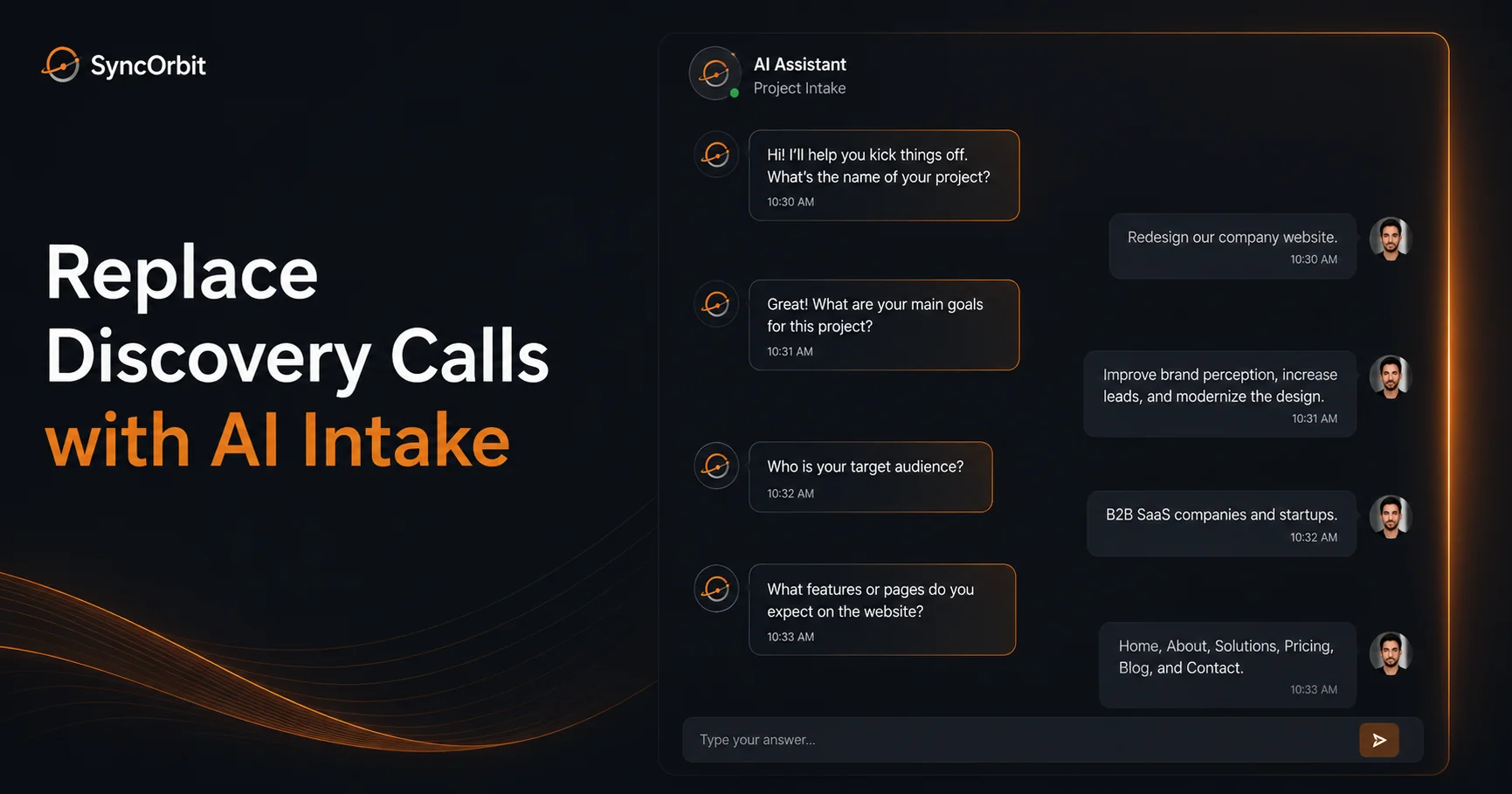
That discovery call has become the unexamined bottleneck of most agency sales and onboarding processes. AI client intake for organizations replaces that 45-minute call with an async, structured conversation that captures the same information faster, generates a ready-to-use brief automatically, and lets prospects engage on their own schedule.
This guide explains exactly how it works, what to cover, and how to implement it.
The Discovery Call Problem
Discovery calls aren't inherently bad. They're valuable for building rapport, picking up on nuance, and handling complex or unusual project types. But for the majority of agency inquiries - the "we need a website," "we need a brand refresh," "we need a campaign" conversations - the discovery call is a 45-minute meeting to gather information that could have been collected in 10 minutes.
The real cost:
For you:
- Scheduling friction - Calendly back-and-forth adds 2-4 days to every lead response time
- Async-hostile - your most senior person has to be available for the call
- No-shows - industry data suggests 20-30% of scheduled discovery calls don't happen
- Manual note-taking - you're either distracted during the call or spending 30 minutes after it writing everything up
- Variable quality - what you capture depends on who runs the call and how tired they are
For the prospect:
- Committing to a 45-minute block before they even know your pricing
- Explaining context they've already written on your website contact form
- Waiting days to hear if you're even the right fit
AI intake solves most of these problems without eliminating the human element where it matters.
What AI Intake Actually Means
Let's be precise. AI client intake is not:
- A dumb chatbot that asks "How can I help you today?"
- A lengthy PDF questionnaire you email out
- A Google Form with 30 required fields
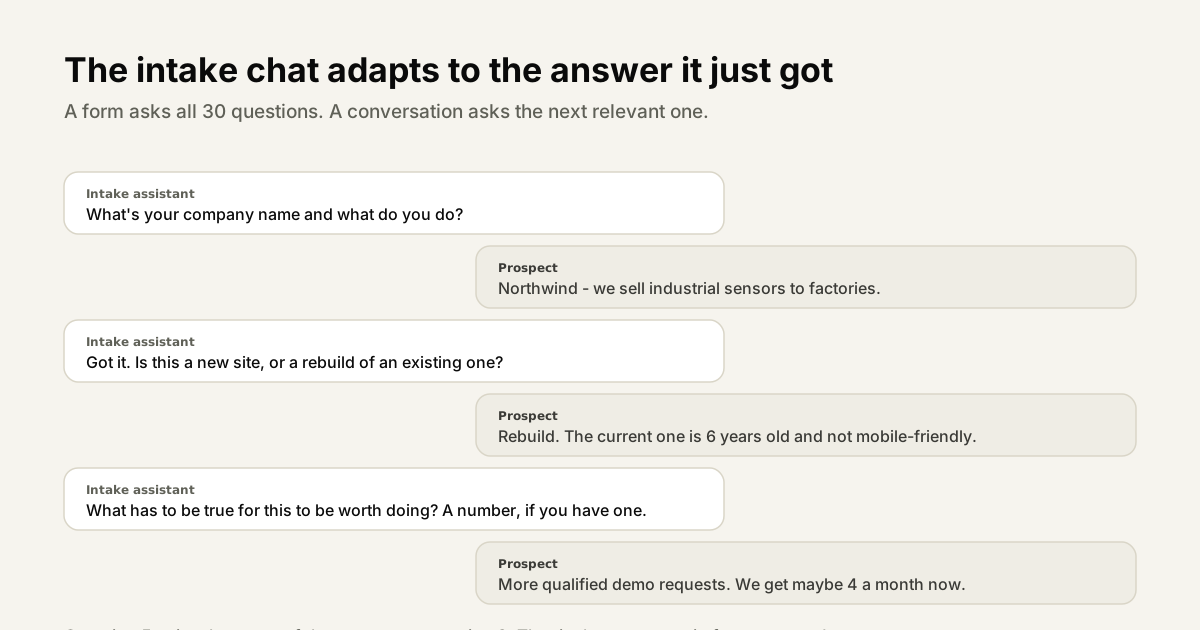
It is a structured, conversational intake session delivered via a chat interface. The AI asks questions intelligently, adapts based on previous answers, validates responses, and guides the prospect through the 10 topics that matter for every project.
The result is a complete, structured dataset that can be used to auto-generate a project brief, pre-qualify the lead, and route the opportunity to the right team member - all before a human is involved.
The 10 Topics Every Client Discovery Must Cover
Whether your discovery happens in a call, a form, or an AI chat, these 10 topics are non-negotiable:
| # | Topic | What You're Learning |
|---|---|---|
| 1 | Contact and organization info | Who is this? What kind of business? |
| 2 | Project type | Website, brand, campaign, app? |
| 3 | Project goals | What does success look like? |
| 4 | Target audience | Who is the end user or buyer? |
| 5 | Current situation | What exists now? What's broken? |
| 6 | Competitors and references | What do they like? What do they want to avoid? |
| 7 | Budget range | Can we actually work together? |
| 8 | Timeline | When do they need this done? |
| 9 | Decision process | Who else is involved in the approval? |
| 10 | Immediate next steps | What happens after this conversation? |
A discovery call covers these in roughly 45 minutes with a lot of filler. A well-designed AI intake chat covers them in 8-12 minutes of async interaction.
How AI Intake Captures the Key Information
Here's how an AI intake session actually flows for a typical "we need a new website" inquiry:
Turn 1 - Context setting:
"Hi! I'm the SyncHQ intake assistant. I'll ask you a few questions to understand your project so we can prepare a brief and get you to the right team quickly. This takes about 10 minutes. Let's start: what's your organization name and what does your organization do?"
Turn 2 - Project type:
"Thanks, [Organization]. What kind of project are you looking for help with - is this a new website build, a redesign of an existing site, or something else?"
Turn 3 - Goals (adapts based on answer):
"For a website redesign, what's the main thing that isn't working about your current site? What should the new site do that the old one doesn't?"
Turn 4 - Audience:
"Who is the primary visitor of this site - potential customers researching your services, existing clients logging into a portal, or someone else?"
Turn 5 - References:
"Are there any websites you've seen recently that you'd use as a design or functionality reference? You can share URLs or just describe the style."
Turn 6 - Budget:
"To make sure we're a good fit, what budget range have you set aside for this project? [under $10K / $10K-$25K / $25K-$50K / $50K+]"
Turn 7 - Timeline:
"When does this site need to be live? Do you have a specific launch date or a general target?"
Turn 8 - Stakeholders:
"Are you the primary decision-maker on this project, or will others be involved in reviews and approvals?"
Turn 9 - Summary and confirmation:
"Here's what I've captured: [Summary]. Does this accurately reflect your project? Anything you'd like to add or clarify?"
The entire exchange is structured, feels natural, and produces 100% of what you need to generate a brief.
The Auto-Generated Project Brief
Once intake is complete, the AI has enough structured data to produce a draft project brief without a human reviewing the raw transcript. The brief typically includes:
- Client overview - organization, industry, contact
- Project summary - type, goals, current situation
- Target audience - description and key characteristics
- Scope - what's included based on what was described
- Reference examples - URLs and style preferences
- Budget range - confirmed by the client
- Proposed timeline - draft dates based on stated deadline
- Success metrics - how the client will evaluate if the project worked
- Open questions - anything that needs clarification before kickoff
This brief gets reviewed by your account team in 5 minutes rather than being written from scratch in 45. Your team's value is in the review, prioritization, and proposal - not in transcription.
For a deep dive on brief quality and structure, see our guide on how to write a project brief.
Discovery Call vs. AI Intake: A Direct Comparison
| Factor | Discovery Call | AI Intake |
|---|---|---|
| Time to complete | 45-60 min (+ scheduling) | 8-12 min async |
| Scheduling lead time | 2-5 days | Instant (link sent immediately) |
| No-show rate | 20-30% | Near zero (async, low commitment) |
| Note quality | Variable, depends on note-taker | Structured, consistent |
| Brief generation | Manual (30-45 min) | Automatic |
| Available 24/7 | No | Yes |
| Prospect experience | Must commit to a call | Low friction, on their schedule |
| Good for complex projects | Yes | Yes (with human follow-up) |
| Good for high-volume inquiries | No | Yes |
The conclusion isn't that AI intake replaces discovery calls entirely. Complex, high-value projects still benefit from a human conversation. But for the 70-80% of agency inquiries that follow a predictable pattern, AI intake is faster, more consistent, and produces better-quality briefs.
Conversion Impact: Why Faster Response Rates Win
Here's a finding that surprises most agency owners: response speed matters more to conversion than almost any other factor.
A study by Harvard Business Review found that organizations that contacted leads within 1 hour were 7x more likely to qualify the lead than organizations that waited longer. For organizations, every hour you spend scheduling a discovery call is an hour the prospect might be exploring competitors.
AI intake gives you an immediate response: the moment a prospect submits your contact form, they get an intake link. They start the conversation immediately. By the time they've finished, you have everything you need - and your response time is measured in minutes, not days.
How to Set Up an Intake Link and Send It to Prospects
Implementing AI intake doesn't require building custom AI infrastructure. Modern agency PM tools like SyncHQ have intake modules built in. Here's the practical setup:
Step 1: Define your intake questions. Use the 10 topics above as a framework. Add or remove questions based on your service type.
Step 2: Set up your intake flow. In SyncHQ, this is a no-code configuration - you define the question set, add your agency's branding, and publish.
Step 3: Generate your intake link. Each intake session gets a unique link. You can have one generic link for your website contact page and custom links for specific campaigns or service types.
Step 4: Add it to your inquiry touchpoints:
- Website contact form confirmation page ("While you wait, tell us more about your project →")
- Email auto-responder after form submission
- Direct link in sales outreach emails
- QR code for events or print materials
Step 5: Route completed intakes to your team. When an intake is completed, your account team gets notified with the full brief. They review, decide on fit, and respond within hours rather than days.
SyncHQ's Intake Feature
SyncHQ's intake module was built around the exact workflow described above.
When a new lead completes an intake:
- A project brief is auto-generated from their answers
- Your team is notified with the brief attached
- The brief can be approved and converted into a live project in one click
- All intake data is stored and searchable - no more lost context from old email threads
The intake link is shareable, brandable, and requires no account on the client's side. It works on mobile. It takes under 12 minutes for most project types.
The entire digital agency workflow - from first inquiry through to project delivery - is built around this intake module as the starting point.
What Happens After Intake
AI intake doesn't end client relationships - it starts them better.
Once you have the brief:
- Review for fit and budget alignment (5 minutes)
- Schedule a 20-minute proposal call if needed (not 45 minutes of basic questions)
- Send a proposal based on the brief
- On acceptance: use the brief to create the project structure in your PM tool
- Onboard the client to the portal with their brief already there
Clients who go through AI intake tend to be more prepared at the proposal stage. They've already thought through their goals, references, and budget. The conversation is more productive.
Measuring Your Intake Quality
Most organizations have a gut feel that their intake process is "good enough." Few have actually measured it. Here are the four metrics that tell you whether your current intake is working - and where AI intake improves each one.
Scope dispute frequency. How often do clients say "that wasn't in scope" during or after a project? If it happens regularly, your intake isn't capturing enough specificity. Every scope dispute traces back to something that wasn't explicitly agreed at the brief stage. A well-structured intake session eliminates most of the ambiguity that creates disputes.
Proposal accuracy. How often does your initial quote match (within 10-15%) the actual project cost? Low accuracy means your intake isn't capturing enough detail to scope the project properly. You're quoting based on incomplete information and absorbing the difference. AI intake improves proposal accuracy by systematically collecting the 10 topics that determine scope - including references, technical requirements, and stakeholder complexity - before a proposal is written.
Discovery-to-close rate. What percentage of discovery sessions (calls or intake completions) convert to signed proposals? If your close rate is below 40%, you may be investing discovery time in unqualified leads. AI intake pre-qualifies by asking about budget and timeline early - so your team reviews only leads that are genuinely workable.
Time-to-brief. How long does it take from first contact to a signed project brief? For most organizations, this is 1-2 weeks. With AI intake generating a draft brief automatically, this can drop to 48-72 hours. Faster time-to-brief means less time in limbo between "interested prospect" and "active project."
A useful benchmark: if your scope dispute rate is above 20%, your proposal accuracy is below 80%, or your time-to-brief is above 10 days, your intake process has room for material improvement.
Common AI Intake Mistakes organizations Make
Implementing AI intake doesn't guarantee better briefs. A poorly designed intake creates the same problems as a poorly run discovery call - just faster. Here are the five most common mistakes:
1. Making the intake too short. The temptation is to minimize friction by asking fewer questions. But an intake that takes 4 minutes instead of 10 often misses the context that makes a brief useful. Budget range, stakeholder decision structure, and technical constraints are the first things cut from "short" intakes - and the first things that cause problems later.
2. Making it feel like a cold form. The language matters. "Please complete the following form" produces different responses than "Let me ask you a few questions to make sure we're the right fit." A conversational tone - where each question builds on the last and acknowledges the previous answer - produces more honest, detailed responses than a sequential list of fields.
3. Not reviewing the brief before the kickoff call. AI-generated briefs are drafts, not final documents. Your account team should read the brief before any client conversation, flag anything that seems inconsistent or underdeveloped, and ask targeted follow-up questions. Using the intake output without review signals to clients that you're not paying attention.
4. Treating the intake output as a final deliverable. The AI brief is a starting point. It synthesizes what the client said - it doesn't evaluate whether the project is feasible, well-scoped, or accurately priced. Human judgment on scope and pricing is still required.
5. Not telling clients what the intake is for. Clients who receive a chat link without context wonder what they're agreeing to. A single line of context - "Before we schedule anything, we use a short intake chat to capture your project details and prepare a brief" - makes the process feel professional rather than mysterious.
"Your intake isn't just a questionnaire. It's the first experience a potential client has with your process. Make it feel guided, intelligent, and respectful of their time."
Integrating AI Intake Into Your Sales Process
AI intake isn't a standalone tactic - it fits into a specific stage of your sales funnel, and understanding where it belongs makes it significantly more effective.
Where it fits: AI intake works best after first contact and initial qualification. The lead has expressed interest and given you basic context. The intake step replaces the "discovery call as gatekeeper" model - instead of scheduling a 45-minute call to decide if you're a fit, the intake gathers enough information to make that determination asynchronously.
As a replacement for gating calls: Many organizations require a discovery call before sending any pricing or availability information. This makes sense as a filter but adds 3-7 days of delay to every lead. AI intake gives you the same filter without the delay. Budget and timeline questions in the intake pre-qualify the lead automatically. You review the completed brief and decide on fit in 10 minutes.
The intake brief becomes your proposal foundation: A complete intake brief contains the project type, scope indicators, budget range, timeline, and success criteria. That's 80% of what goes into a proposal. Your account team writes the pricing, formats the document, and adds agency-specific positioning - but the substantive content is already there.
Sales outcome: A prospect who completes an intake is a warmer lead than one who hasn't. They've invested time in explaining their project. They've already started thinking about scope and budget. By the time your team reaches out, the conversation starts at a higher level.
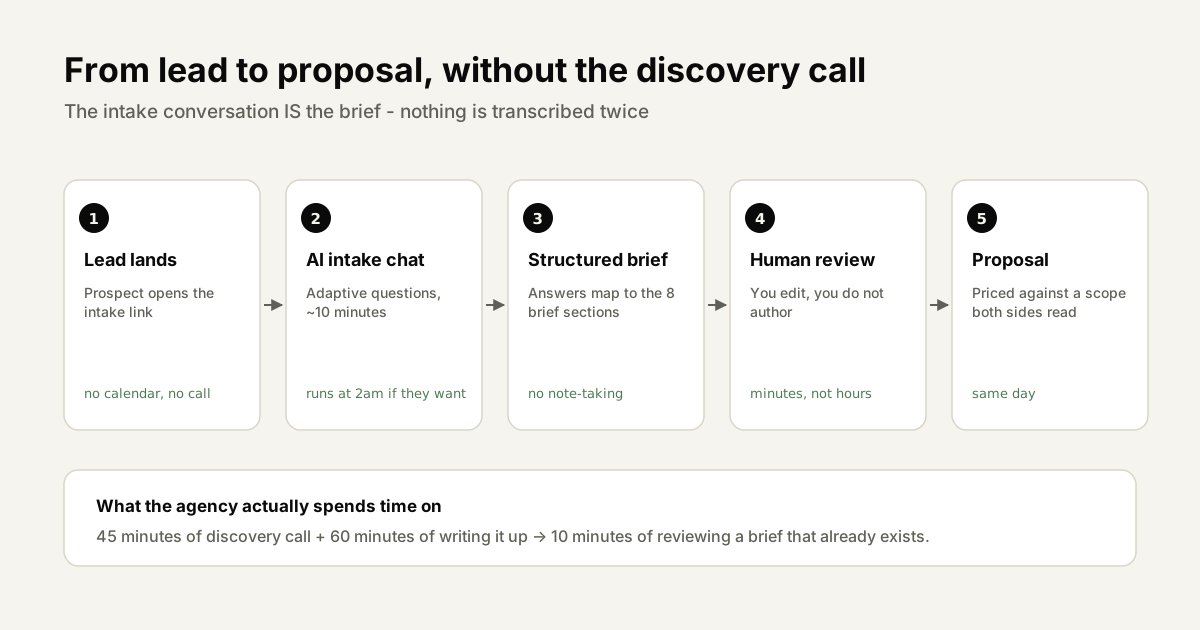
The practical workflow:
- Lead submits contact form or reaches your intake link
- Intake chat runs asynchronously (8-12 minutes)
- AI generates draft project brief
- Your team reviews brief, assesses fit and budget alignment (10 minutes)
- If strong fit: send proposal with brief as foundation
- If weak fit: decline with a referral or request for more information
- On acceptance: brief becomes the project structure in your PM tool
This workflow compresses a process that typically takes 1-2 weeks into 48-72 hours - without sacrificing the quality of information that goes into a proposal.
Final Thoughts
Discovery calls will never fully disappear. But for most agency inquiries, they're an expensive, slow default when a faster, better-quality alternative exists.
AI client intake gets you the same information in a fraction of the time, at any hour of the day, without requiring your most senior team member to be on a call with every lead. The project brief writes itself. Your team responds faster. Your prospects experience a more professional, organized agency from their very first interaction.
That first impression matters more than most organizations realize.
Try SyncHQ's AI intake free → (opens in a new tab)
Also read: