

Project Management Software for Digital organizations - The Complete 2026 Guide
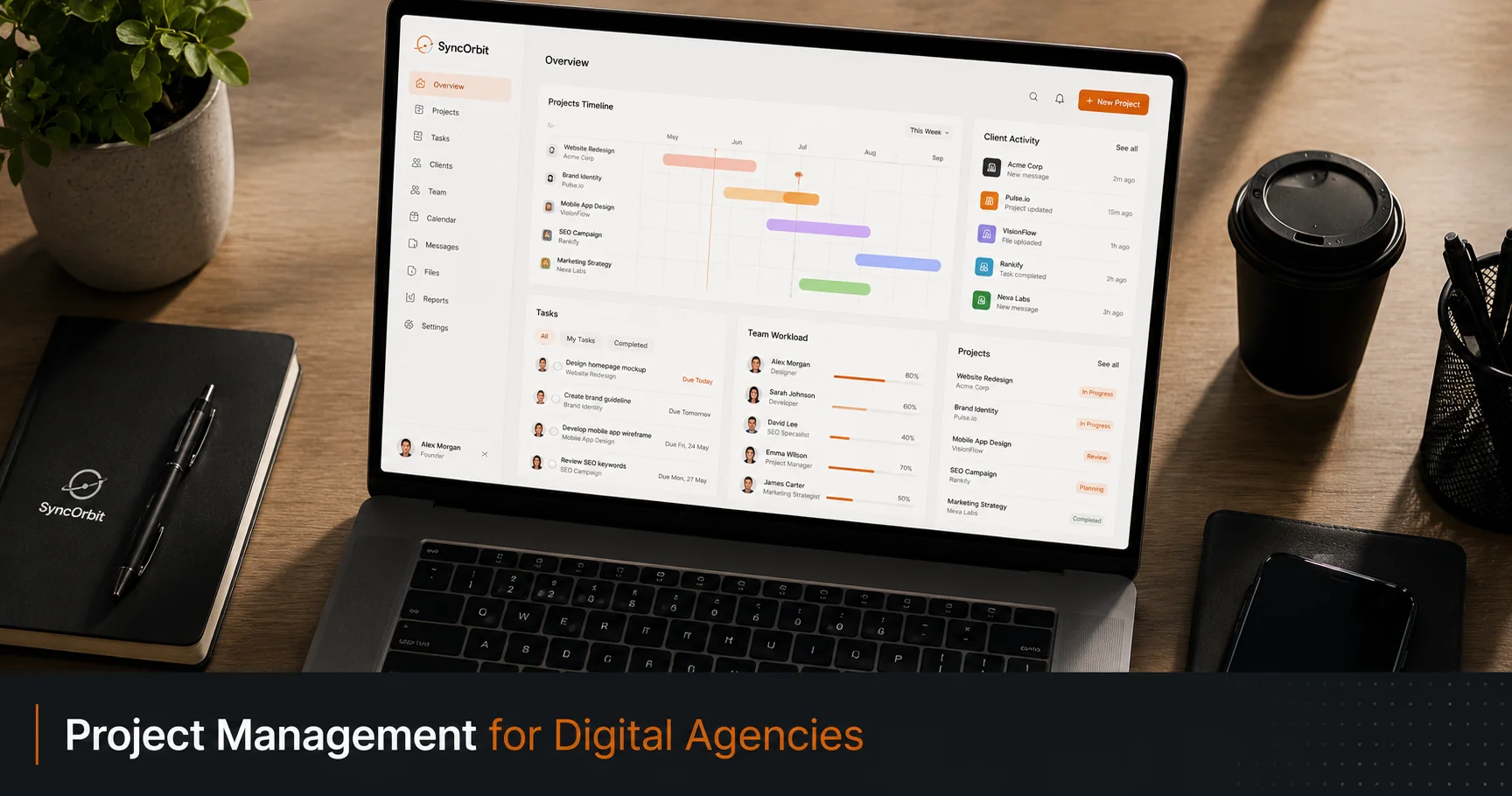
If you're running a digital agency on a combination of Trello boards, email threads, and spreadsheets, you already know the pain. Projects slip through cracks, clients ask for updates you scramble to provide, and billable hours evaporate because no one wrote them down. The right project management software for digital organizations doesn't just organize tasks - it becomes the operating system your entire team runs on.
This guide covers everything: why agency project management is fundamentally different from generic PM, the 7 features your tool must have, the 4 costly mistakes most organizations make, and a practical checklist for evaluating your options.
Why Agency PM Is Different From Generic PM
Most popular project management tools were built for internal software teams or corporate departments. That's fine for a 20-person SaaS startup managing sprints. It's not fine for a 10-person agency managing 15 simultaneous client projects with external stakeholders, approval cycles, and project-based billing.
Here are the core differences:
External stakeholders are always in the picture. Your client isn't an internal team member. They don't know your sprint terminology. They don't want to log into Jira. They want to see progress, leave feedback, and get the deliverable. Your PM tool must support this without creating a second system for "client-facing" information.
Billing is tied to project milestones, not time periods. Corporate teams track work in quarters. organizations track work by deliverable. A client pays for a website, a campaign, or a brand identity - and your PM tool needs to connect tasks to invoices, retainers, and time-logged hours.
New projects start constantly. Every new client means a new project structure, a new brief, new onboarding steps, and a new approval workflow. Without repeatable templates, your team reinvents the wheel every time.
Scope creep is the enemy. In organizations, unclear scope costs real money. Your PM tool needs to make scope explicit, visible, and version-controlled so that when a client asks for "one more change," you know exactly what's in and out of scope.
The 7 Features Every Agency Needs in a PM Tool
Not all project management features are equal. Here's what actually matters for organizations:
1. Client Portal
Your clients need somewhere to see project status without emailing you. A proper client portal gives them:
- Current project phase and completion percentage
- Deliverables ready for review with inline commenting
- Timeline view so they know what's coming
- Invoice history and outstanding payments
Without this, you'll spend 30% of your time answering "where are things at?" from anxious clients.
2. Client Intake and Briefing
Every project starts with a discovery process. Whether that's a 45-minute call or an AI-powered intake chat, you need a structured way to capture:
- Project goals and success metrics
- Target audience
- Budget and timeline
- Competitors and reference examples
- Approval process and stakeholders
The best PM tools auto-generate a project brief from this data. The worst leave you copying notes from a Zoom transcript into a Google Doc by hand.
3. Time Tracking
organizations lose an estimated 20-30% of billable hours simply because time tracking is inconvenient. Your PM tool should have time tracking built in - not as an afterthought, but as a first-class feature tied to specific tasks and projects.
Read our detailed guide on time tracking for digital organizations if this is a current pain point.
4. Task and Sprint Management
You need to be able to:
- Create tasks with assignees, due dates, and priorities
- Group tasks into milestones or sprints
- Set dependencies (Task B can't start until Task A is done)
- See workload distribution across team members
5. Gantt / Timeline View
Gantt charts aren't just for enterprise projects. For organizations, a timeline view lets you see at a glance:
- Which projects are running in parallel
- Where delivery dates stack up
- Who's overloaded this week
- Whether a new project can realistically start next Monday
6. Invoicing Integration
Your PM tool should either handle invoicing natively or integrate cleanly with Stripe, QuickBooks, or your billing system of choice. The connection between hours logged → deliverables approved → invoice sent should be one click, not a 20-minute export-and-reformat process.
7. Team Communication
Not a full Slack replacement, but at minimum: task-level comments, file attachments, @mentions, and notification routing so the right person gets pinged at the right time. Scattered DMs and email chains are where project context goes to die.
The 4 Most Costly Agency PM Mistakes
Mistake 1: Using Trello (or Notion) for Complex Multi-Client Work
Trello is a great tool. For managing 3 simple projects with 2 people, it's fine. For running 12 concurrent client projects across a 15-person team with timelines, billing, and external stakeholders - it's a disaster.
Trello doesn't have:
- Native time tracking
- Client portals
- Gantt views
- Billing integration
- Project templates that replicate your full workflow
The result: you bolt on 5 other tools (Harvest for time, Loom for client updates, Google Sheets for budgets, Calendly for reviews), and you spend more time managing your tools than your projects.
Mistake 2: No Client Visibility
organizations that keep clients in the dark breed anxious clients. Anxious clients send daily "just checking in" emails. Daily emails interrupt your team's flow, require someone to manually compile a status update, and make you look less professional than you are.
The fix is simple: give every client a read-only window into their project. Not your internal Slack. Not a PDF update every two weeks. A live, always-current project view.
Mistake 3: Manual Time Tracking
"I'll log my hours at the end of the week" is a sentence that costs organizations thousands of dollars every month. Memory is unreliable. Context switches make it hard to reconstruct where 8 hours went.
Time tracking needs to be:
- In the tool you're already using - not a separate app
- Task-level - not just project-level totals
- Automatic or one-click - timers on tasks, not manual entries
Mistake 4: No Standard Intake Process
When every project starts differently, every project ends differently - usually with scope disputes, timeline overruns, or a client who's surprised by something you thought was agreed.
A standardized intake process means you ask the same questions every time, capture the same information, generate a brief, and send it for approval before a single task is created. This alone eliminates the majority of scope arguments.
Evaluating PM Software: A Practical Checklist
Use this checklist when evaluating any project management tool for your agency:
| Criteria | Questions to Ask |
|---|---|
| Client portal | Can clients view progress without an account? Can they leave feedback? |
| Time tracking | Is it task-level? Can you export billable hours by client? |
| Intake/briefing | Does it capture discovery data and generate a brief? |
| Templates | Can you create a project template your team replicates in one click? |
| Gantt/timeline | Can you see all projects across a date range? |
| Billing | Can you connect time logs to invoices? |
| Integrations | Does it connect to your design, communication, and billing tools? |
| Onboarding | How long does it take a new team member to get up to speed? |
| Pricing | Is it per-seat? Per-project? Does it scale reasonably for your team size? |
| Support | Is there real customer support or just a community forum? |
The Real Cost of Disorganized Project Management
Let's put a number on this.
Assume a 10-person agency where each person earns $75/hour fully loaded (salary + overhead). If each person loses just 1 hour per day to disorganized project management - hunting for files, answering status questions, re-doing work due to miscommunication, manually logging time - that's:
- 10 hours/day lost
- 50 hours/week
- 2,600 hours/year
- $195,000/year in wasted time
That's almost certainly an underestimate. organizations that measure this typically find the true figure is 2-3 hours per person per day.
The right PM software doesn't cost $195,000 a year to fix. It typically costs $30-$100/month per seat. The ROI is obvious.
How SyncHQ Approaches Agency PM
SyncHQ was built from the ground up for digital organizations - not retrofitted from a generic task tool.
It includes:
- AI-powered client intake that replaces discovery calls and auto-generates project briefs
- Client portal with progress tracking, deliverable review, and inline feedback
- Built-in time tracking tied to tasks, exportable by client and project
- Gantt views for cross-project timeline management
- Project templates so your standard workflow is one click away
- Invoicing connected directly to tracked time and approved deliverables
For organizations trying to get off the Trello + Harvest + Google Docs + Notion stack, SyncHQ consolidates everything into one tool without sacrificing depth.
Choosing the Right Tool for Your Agency Size
Solopreneur or 2-person agency: You can start simple. Notion + Toggl gets you far. The cost of switching later is low.
5-15 person agency: This is the danger zone. You've outgrown simple tools but haven't committed to proper PM infrastructure. Most organizations in this range lose the most money. This is where purpose-built agency PM software like SyncHQ pays for itself immediately.
20+ person agency: You likely need dedicated PM, billing, and communication tools. The key is integration - tools that talk to each other cleanly so you're not doing manual data entry between systems.
Agency PM by Team Size
The right project management approach isn't the same at every stage of agency growth. What works brilliantly for a 3-person studio becomes a liability at 20 people - and vice versa.
1-3 people: Lightweight tools are fine. At this stage, you can track projects in a simple task list, communicate over Slack or email, and invoice manually. The cost of process overhead exceeds the benefit. Notion, Trello, or even a shared spreadsheet is workable. Manual time tracking is inconvenient but survivable.
4-10 people: This is where shared visibility becomes critical. You now have multiple people working across multiple projects simultaneously, and no single person can hold all the context in their head. Templates start to matter - every new project should start from the same structure, not be rebuilt from scratch. A lightweight agency PM tool pays for itself quickly here. Basic client visibility is worth implementing even if it feels early.
11-25 people: Full agency PM software is no longer optional. You need approval workflows so deliverables don't go out without review. You need workload views so you can see who's overloaded. You need time tracking tied to projects so billing doesn't rely on memory. Client portals at this stage reduce account management overhead substantially.
25+ people: At this scale, you're looking for enterprise-grade features: single sign-on (SSO) for security, dedicated onboarding and support, audit logs, and custom permission structures. You may also need integrations with HR and finance systems that aren't relevant for smaller teams. Vendor stability matters more - you're building organizational processes around this tool.
Rule of thumb: If a team member has to ask "where does this go?" for more than 30 seconds, your PM structure isn't clear enough for your current team size.
Integrating PM With Your Agency's Other Tools
A project management tool doesn't operate in isolation. It's the hub of a larger operational stack - and the quality of its integrations with adjacent tools determines how much friction your team absorbs daily.
Here are the four integration points that matter most and the signals that tell you whether they're working:
PM ↔ Time Tracking: This should be native, not an export. When a team member logs time on a task, it should automatically appear against the right project and client - not require a separate entry in a different tool. If your team is copying time entries from one system to another, you're losing accuracy and burning time. The best agency PM tools have timers built into tasks: click start, click stop, done.
PM ↔ Invoicing: Milestone completion should be able to trigger an invoice automatically or in one click. Your PM tool knows when a deliverable is approved. Your invoicing system should know it too. Manual invoice preparation from approved deliverables is a 20-minute task that should be a 2-minute task.
PM ↔ Client Communication: Status updates should originate in the PM system, not in someone's email drafts. When your team marks a milestone complete, the client's portal should reflect it without anyone writing a separate update email. Communication that lives only in email is invisible to your PM tool and creates a second information stream that diverges over time.
PM ↔ File Storage: Design files, documents, and deliverables should be linked directly to the relevant tasks and milestones. A client reviewing a design should be able to do it from the portal, not by hunting through a Dropbox folder that may or may not have the latest version.
| Integration | Good signal | Bad signal |
|---|---|---|
| Time tracking | Timers live on tasks; no manual re-entry | Team logs time in a separate app at end of week |
| Invoicing | One click from approved deliverable to sent invoice | 20-min export-and-reformat process |
| Client communication | Portal auto-updates when milestones complete | Account manager writes status emails manually |
| File storage | Files linked to tasks, version-controlled in portal | Dropbox links in Slack messages |
Switching to New PM Software Without Disrupting Your Team
The decision to switch project management tools is one most agency leaders delay too long - usually because the last migration was painful. But a bad migration is almost always the result of a flawed process, not an inherent property of tool switching.
Here's a 4-step migration plan that keeps the disruption manageable:
Step 1: Document your current workflow before picking a tool. Before you evaluate alternatives, write down how projects actually flow today - from first inquiry through to invoice. Where do handoffs happen? Who approves what? What triggers the next stage? This documentation becomes your requirements list and your new tool configuration guide.
Step 2: Start with one project type. Don't migrate everything at once. Pick a single, well-defined project type - branding projects, website builds, or retainers - and run your next 2-3 projects of that type entirely in the new tool. This limits the blast radius if something doesn't work as expected.
Step 3: Run parallel for two weeks. Don't kill the old tool the moment the new one is live. Run both simultaneously for two weeks. Your team still has the old system as a safety net, which reduces the anxiety of switching and gives you time to configure the new tool without time pressure.
Step 4: Full migration after team confidence is high. When the team agrees the new tool is working for the pilot project type, expand to all project types. Kill the old tool only after all active projects have been migrated or completed.
Common mistakes that derail migrations:
- Migrating all projects at once (creates chaos and blame)
- Not training the team before the switch (they revert to old habits)
- Picking the cheapest tool to minimize risk (penny-wise, pound-foolish - a bad tool creates more costs than it saves)
- Treating configuration as optional ("we'll set up the templates later" - later never comes)
- Waiting until a crisis forces the switch rather than planning it deliberately
Tip: The best time to switch PM tools is at the start of a new quarter, not mid-project. You get a natural break in the project cycle and the team arrives fresh to the new system rather than trying to learn it while juggling active client work.
The tooling question, briefly
Agencies frequently believe they have a project management problem when they have a process problem wearing a tool's clothing. Two tests separate them.
Would a different tool fix this? If the issue is that scope gets absorbed, that approvals take nine days, or that estimates are consistently optimistic, no tool will help - those are agreements and habits. Changing software to fix a process problem is expensive, disruptive, and it resets the team's familiarity for nothing.
Is the current tool actually being used as intended? Most agencies use perhaps a third of what their existing system does. Before migrating, it is worth an hour establishing whether the thing you want already exists and nobody configured it.
Where tooling genuinely matters is at the joins - whether time, scope and billing share a dataset, or whether someone reconciles them by hand every month. That is a real structural difference and it is worth switching for. Preferring a different board layout is not.
Where to start if everything needs fixing
Three changes, in order, that produce the most improvement for the least disruption:
Get scope written down with explicit exclusions. Most delivery problems are scoping problems arriving late.
Get time entered within two days. Every number that would tell you where the real problem is depends on it.
Run one retrospective and act on exactly one finding. Not three, one - implemented properly, so the team sees that the meeting changes something.
Everything else is easier once those three are in place.
Final Thoughts
The perfect project management tool for a digital agency isn't the most feature-rich one or the most popular one. It's the one your entire team actually uses, that your clients can access without a tutorial, and that connects your work directly to your billing.
Start with the 7 features above as your non-negotiables. Eliminate tools that require heavy manual workarounds for those features. Then evaluate based on your team size, budget, and existing stack.
If you're ready to see what agency-specific PM looks like in practice, try SyncHQ free (opens in a new tab) - no credit card required.
Also read: